 SWCP Track
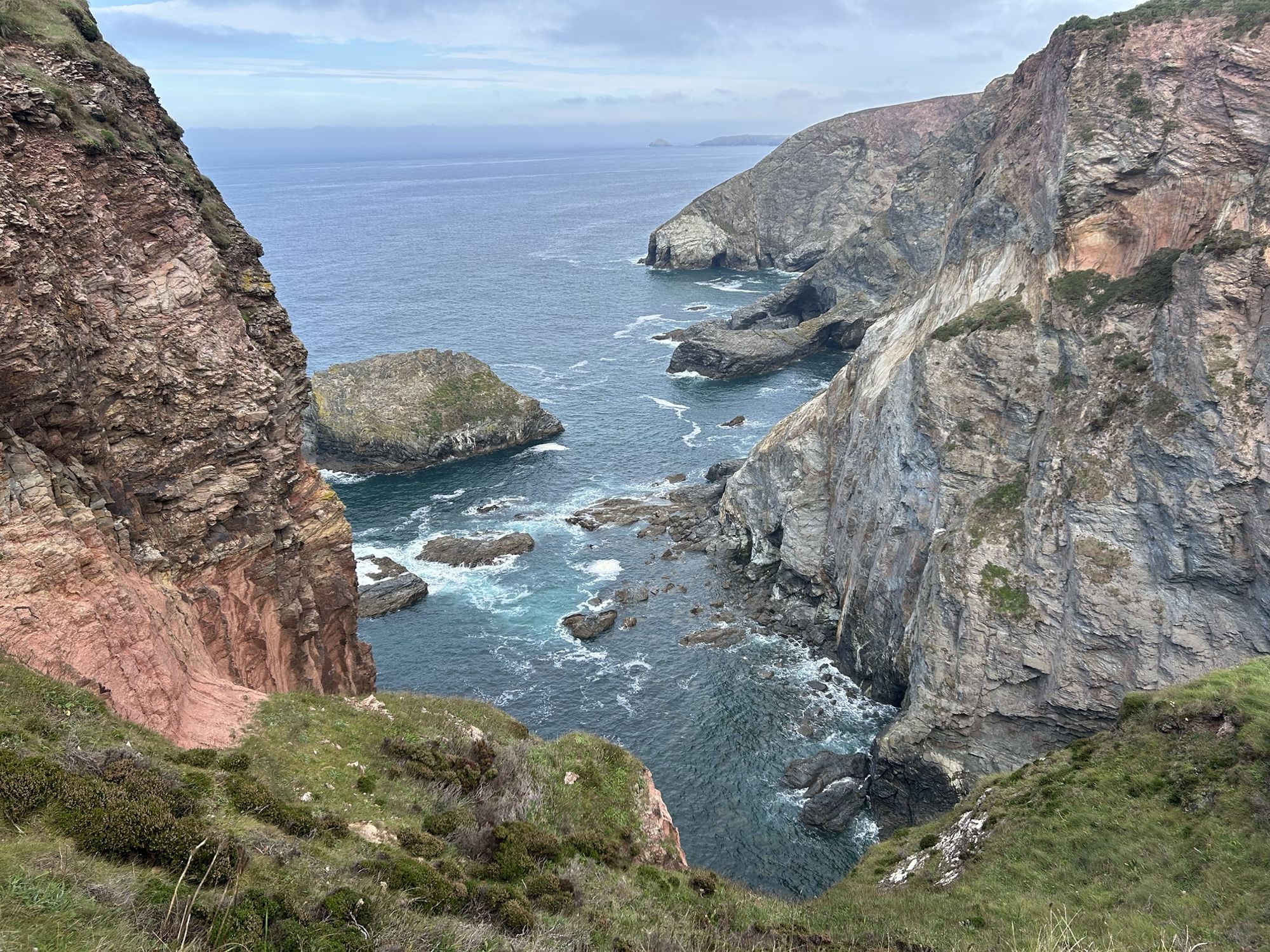
England's longest National Trail · Minehead to Poole
Every mile of the coast path, counted.
SWCP Track records your walks on the South West Coast Path, plans the next one and keeps a running total of how much of the 630 miles you've done. Section by section, at your own pace, in any order.
The whole path
Using official route data, you can build a digital scratch map for the entire South West Coast Path, walk by walk, 1 mile or 20 miles at a time.
Every walk you record is matched to the South West Coast Path, so the app knows exactly where you have walked, and doesn't include excursions or double count bits of the path you walk twice.
The average time to complete the whole South West Coast Path, according to the South West Coast Path Association.
Built for walkers who like to take their time.
SWCP Track is made for casual walkers who want to take their time, enjoy the view, enjoy the hospitality of Somerset, Devon, Cornwall and Dorset, and who may well take 10 years or more to complete the path.
Any of these problems sound familiar?
Forgot to restart your walk tracker after you stopped for lunch?
Didn't know how to find the path when you got off the bus or train?
Had trouble finding old walks because you forgot which app you tracked them with?
Not sure how many miles you walked on the SWCP as your current app total includes that excursion to the headland, village pub and walk to and from the bus stops?
Didn't know how the weather would change on your walk, and got caught in the heavy rain just before the end?
Ended up with spaghetti tracks when you were standing still, resting or simply taking photos or videos?
Couldn't quite remember where you started or finished a walk you did 7 years ago?
Tried to guess how long a route would take, then finished in the dark?
Found your online maps stopped working in remote spots with no signal?
Followed the wrong path and had to double back when you finally realised?
Couldn't remember the name of that great pub you want to take your new friends to?
Kept your journal in notebooks over the years, and lost one or two of them?
Well, all these problems are now solved.
SWCP Track is the app that truly understands the South West Coast Path. It tracks your miles on the path precisely, without limiting your exploring and adventures off it.
Track
Press Start walk. Put the phone away.
The app logs your position and draws your walk along the South West Coast Path as you go.
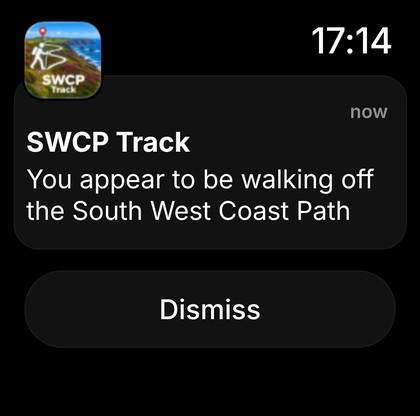
- Knows when you leave the pathAn alert if you accidentally stray off the coast path. Those must-do excursions to that headland, lighthouse or village pub are not included in your total path miles.
- Works offline, maps built inMaps focused on the coast path come built into the app, so the map, your walk and your progress keep working with no signal.
- Shows the next 8 hours of weatherLive weather updated whilst you're walking.
- Apple Watch notifies you tooMile updates and off-path alerts on your Apple Watch, so the phone can stay in your pocket.
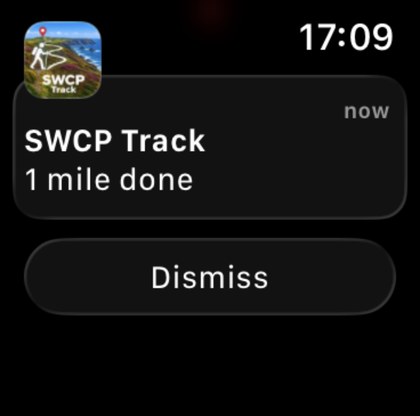
- Full screen maps provide more detailSimply rotate the phone to expand the map.
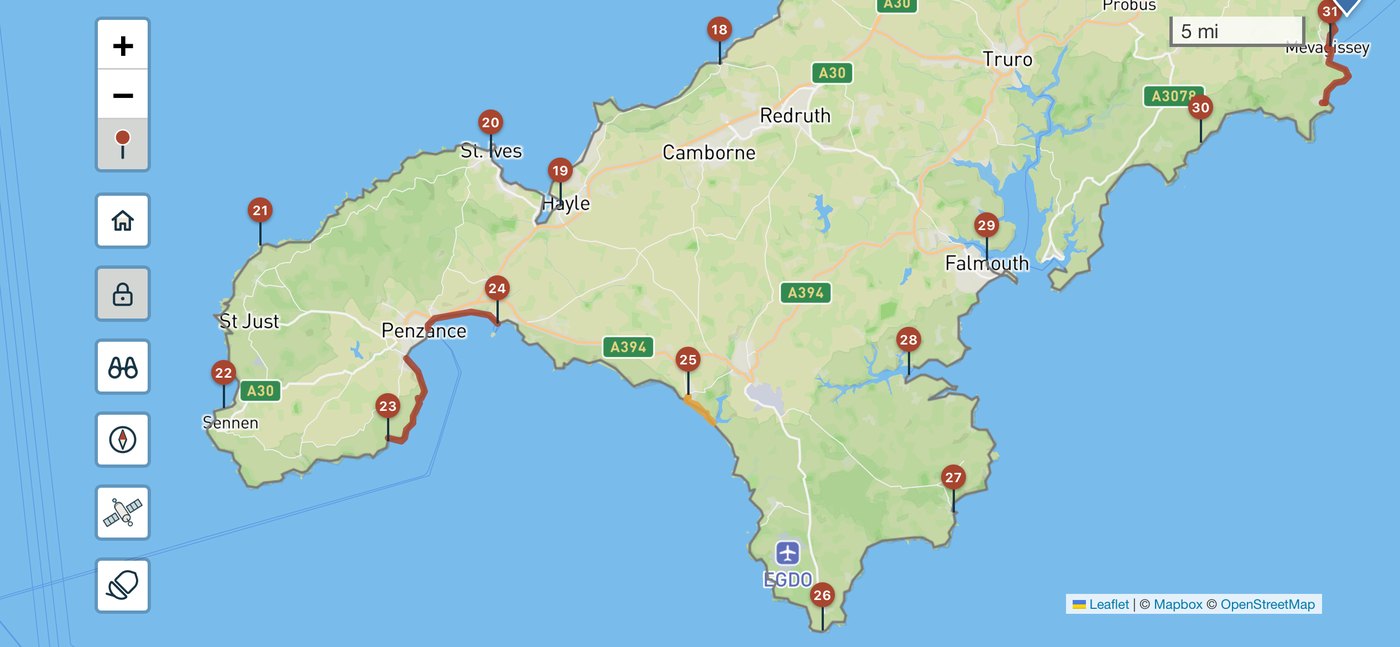
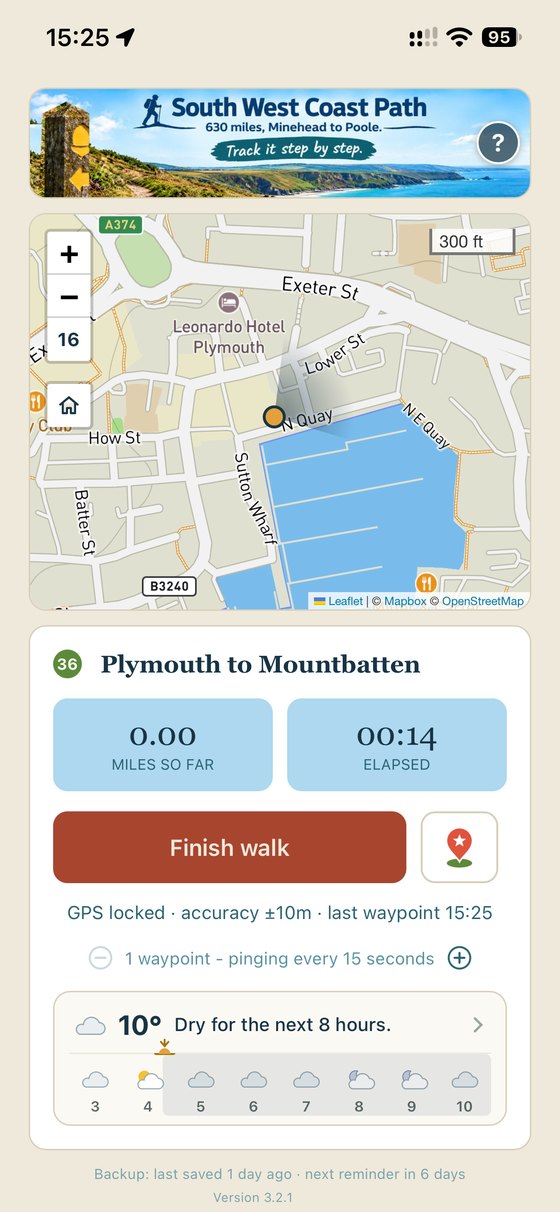
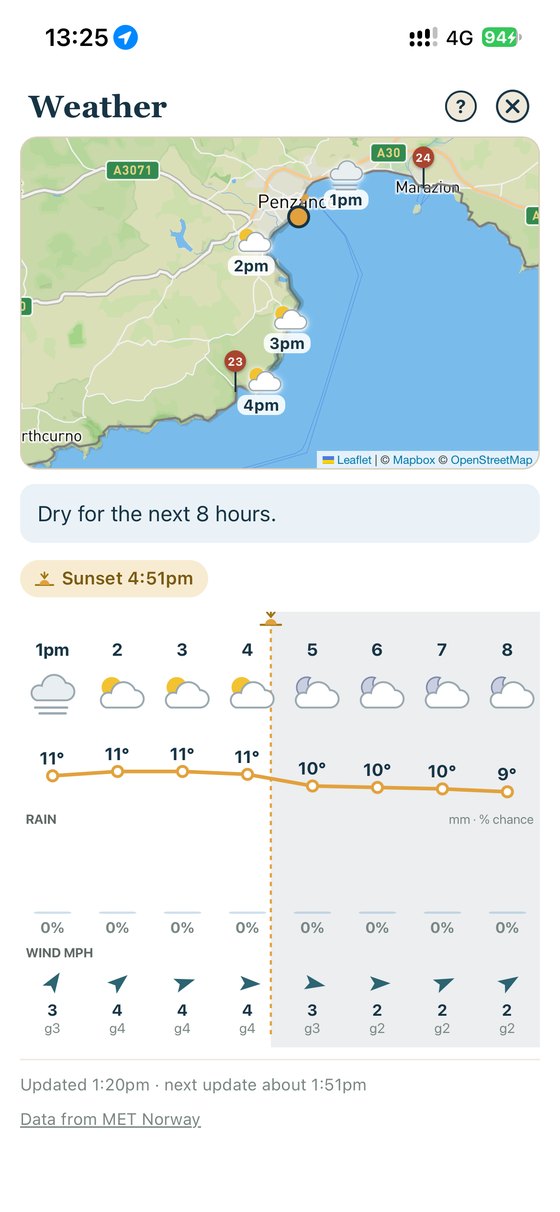
Every one of those steps counts towards you completing the South West Coast Path.
Acorn walks
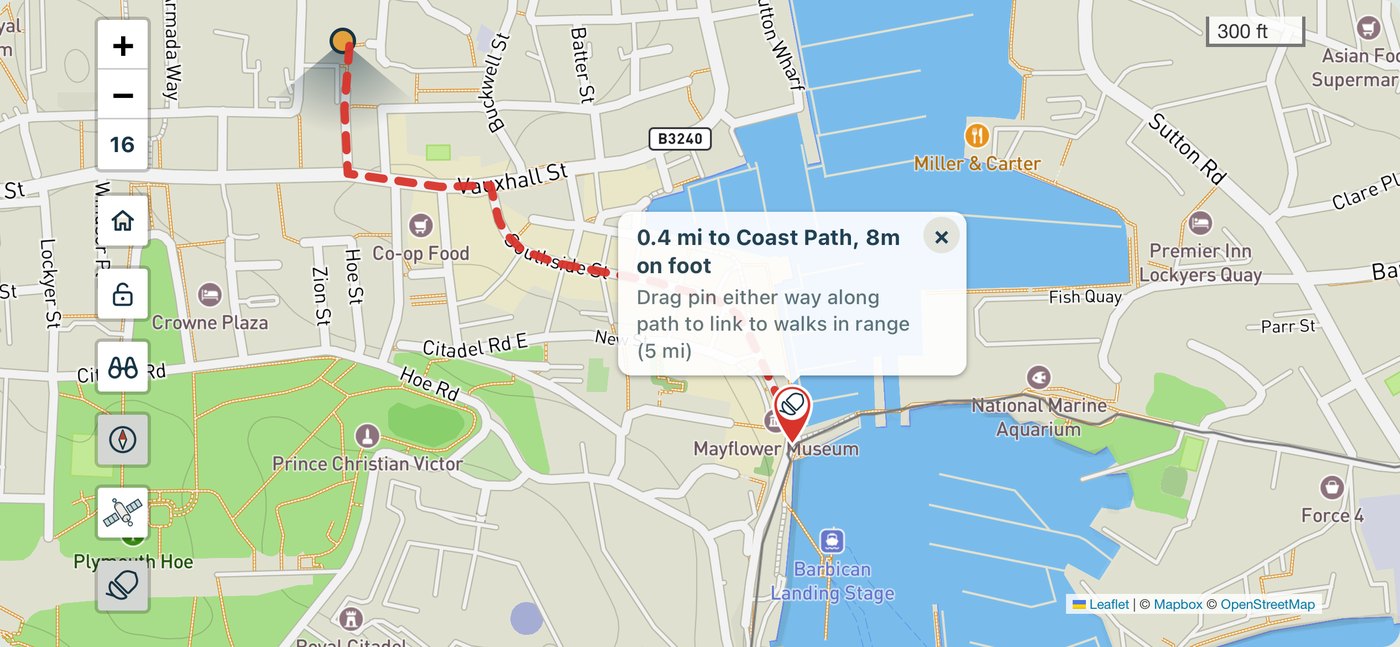
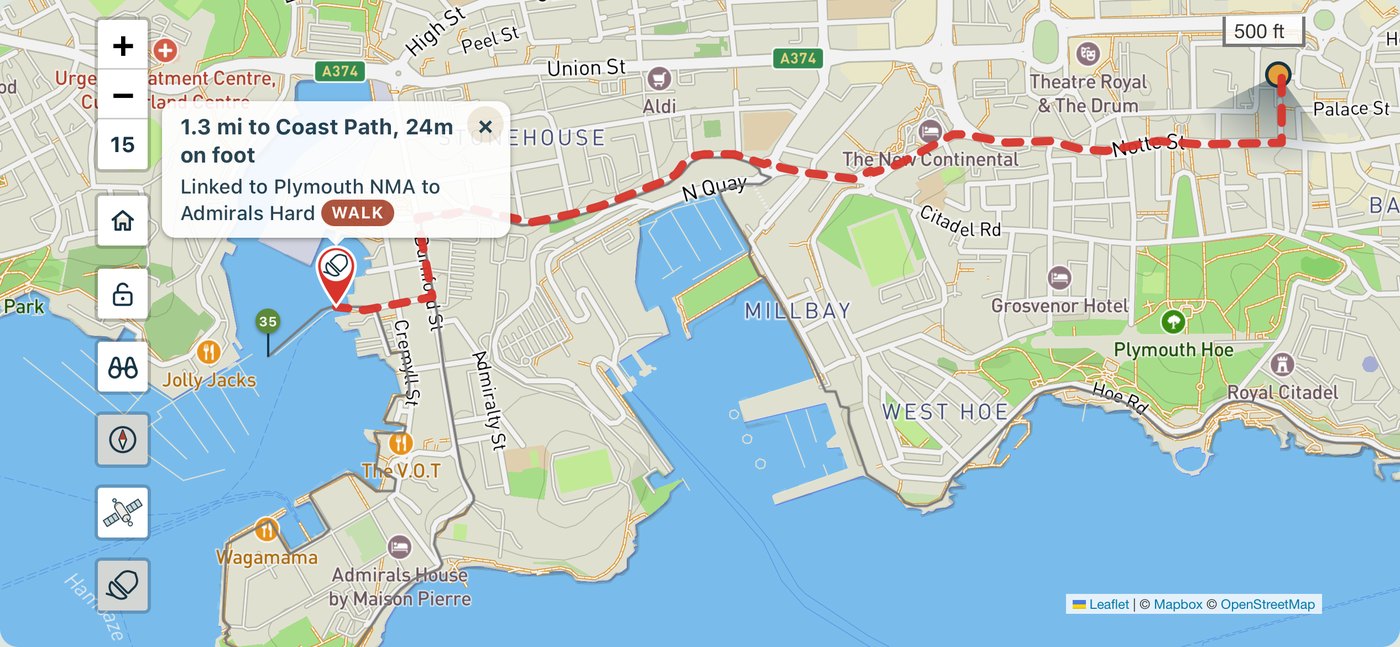
Can't find the path from the bus stop? No problem.
Stations, bus stops and car parks frequently are not right next to the coast path itself. SWCP Track finds the walking route from where you are to the path, along real roads and footpaths, and back again at the other end.
- Tap the acornA walking route appears to the nearest point on the path, or to where you finished your last walk.
- Walk itFollow the plotted path to the acorn. Getting to the path counts in your daily walk miles but doesn't count in your SWCP total (as it's not on the path). So the app keeps you honest.
- When planning, drop a pin where you'll startLet SWCP Track work out the route from the station, car park or hotel.
Progress
See how far you've come.
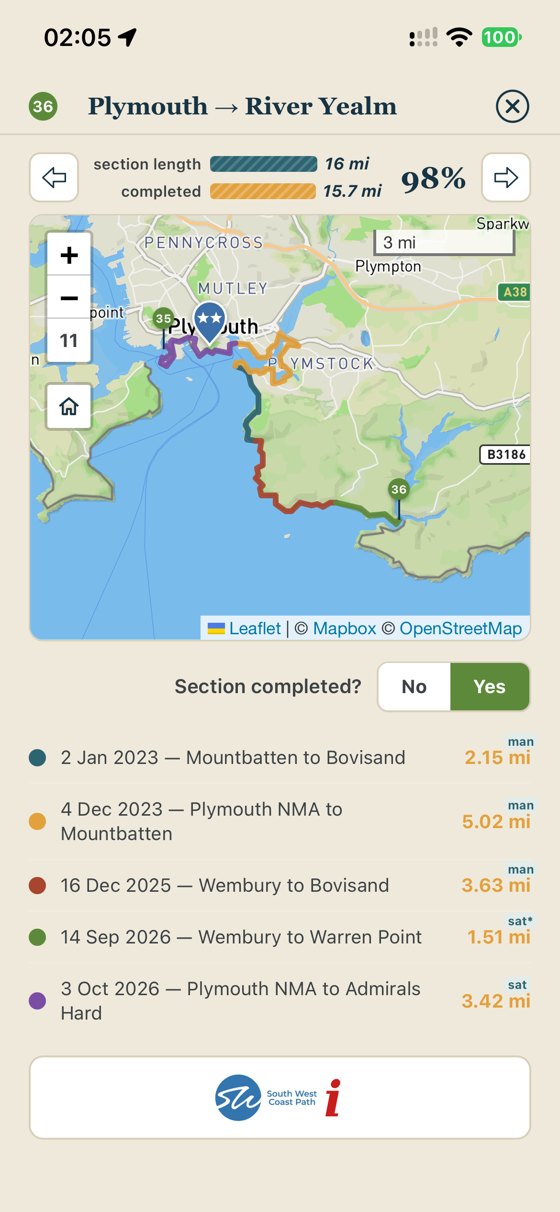
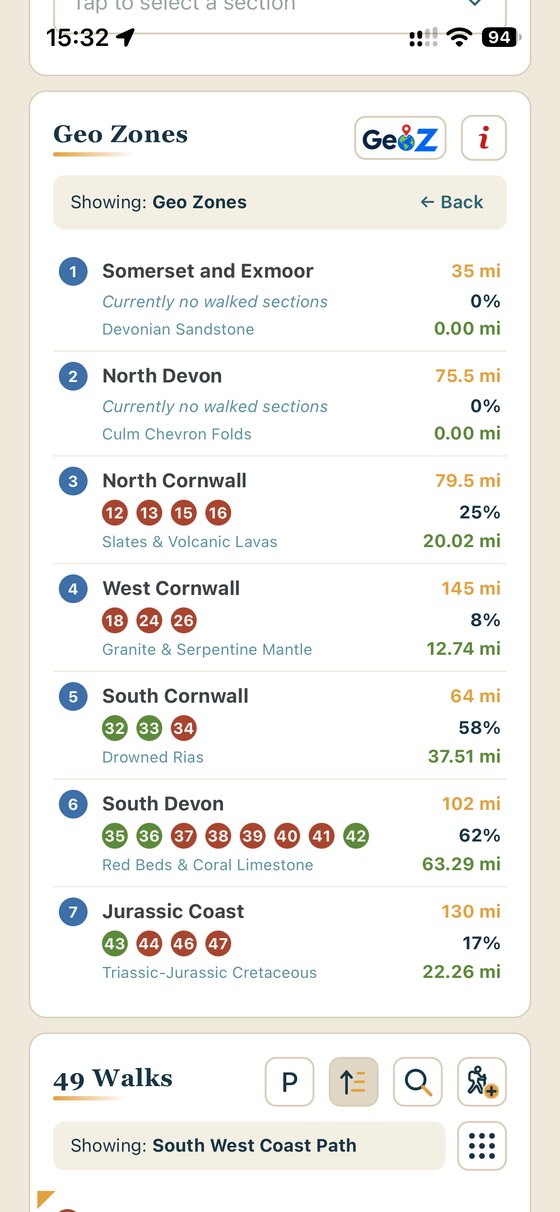
Your walks create a complete, zoomable scratch map on the South West Coast Path: miles walked, percentage of the 630, sections finished and the GeoZones you've covered. Walk the same stretch twice and it still only counts once. Take an excursion and be confident that it doesn't count towards your path totals.
- Sections and GeoZonesView all 52 official sections and 7 GeoZones, completed as you go.
- No spaghetti trailsSWCP Track stops and re-starts tracking automatically when you stop to eat lunch or admire the view.
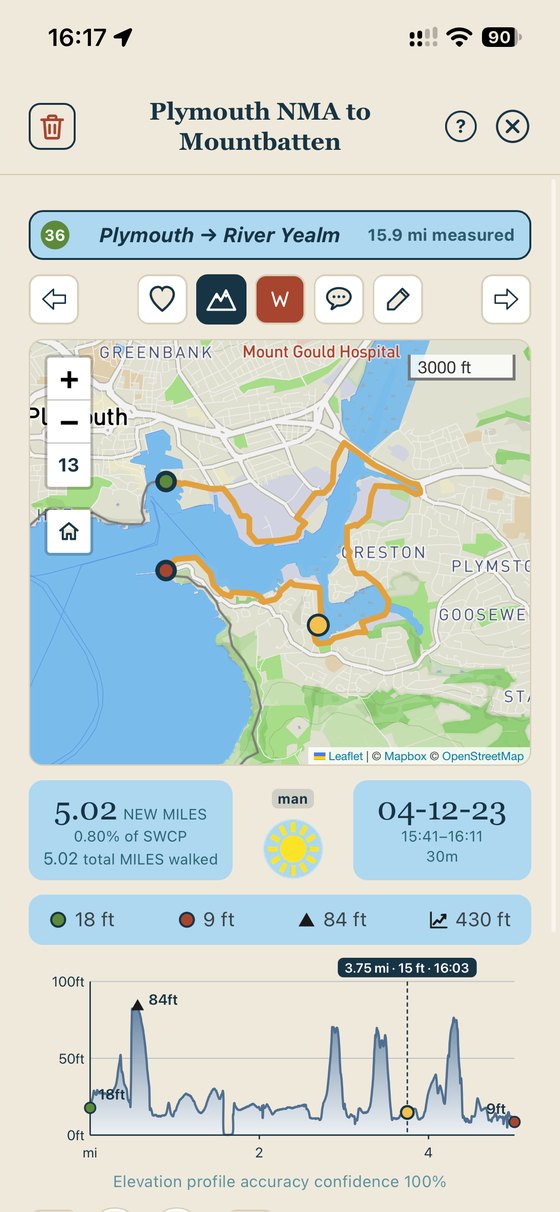
- Stats for every walk and planMiles, walk maps, climbs and the weather you walked in, shown on walk summaries you can swipe through.
- Honest heightsElevations are from LiDAR survey data along the path, with an accuracy confidence for every walk. Fewer unrecognisable elevation profiles.
Find
Every walk and plan, at a glance.
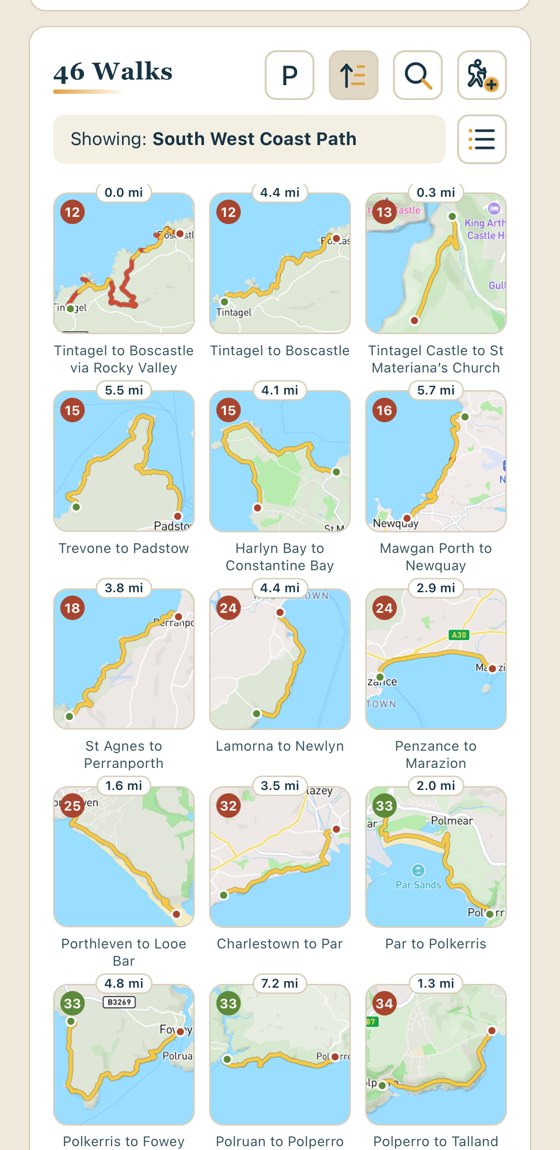
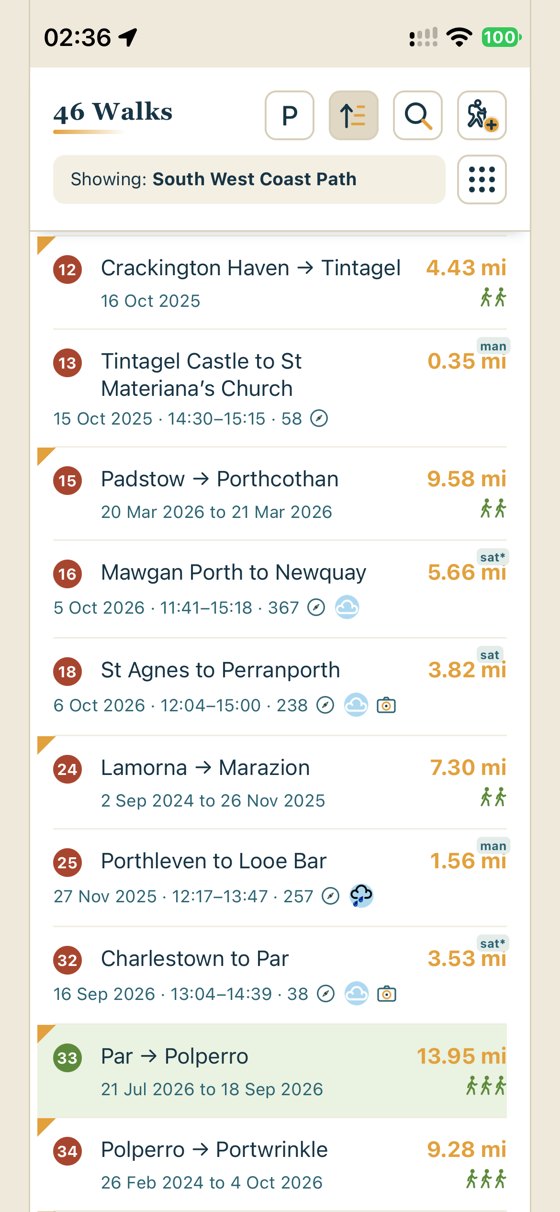
Your walks and plans line up as tiles or lists, so you can spot the one you're after in a second.
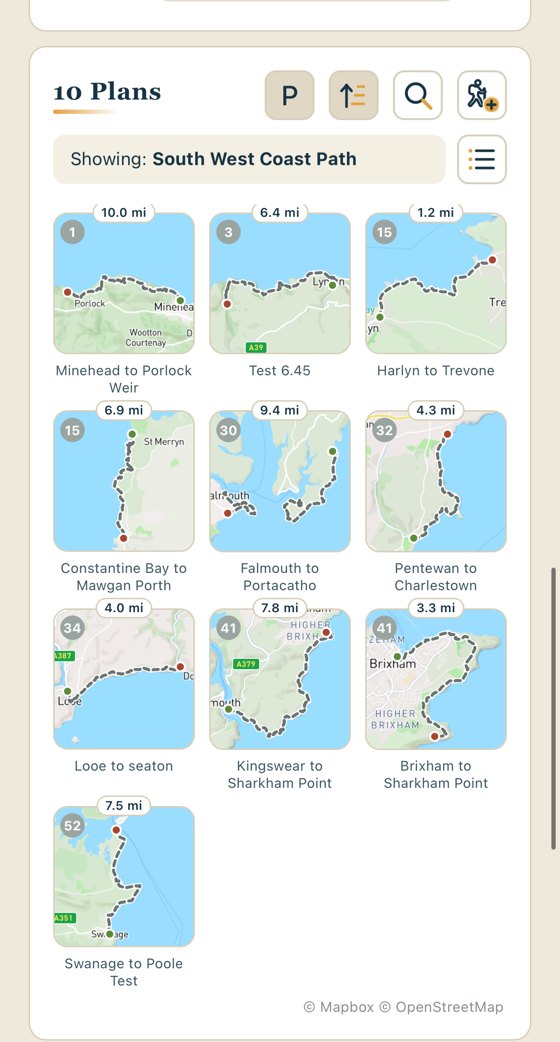
- Tile or list viewBrowse by map tile, or switch to a list. Sort by section or by date. Your plans get a view of their own.
- Search everythingFind walks, walking friends, highlights and plans in one search.
- Filter to what mattersShow just the section, just your plans, or walks with highlights, as you need.
Plan
Plan the next stretch.
Drop a start and finish pin and the plan snaps to the path, adds the ferries and works out how long it will take you, from your own pace on the level and your speed on the climbs.
- Times that reflect YOUR walking paceWalking time and finish time estimated from your existing tracked walks. Elevations taken into account. Add 30 minutes for the pub, or set your own target end time.
- 7 day forecastSunshine, temperatures and the chance of rain along a plan for the week ahead.
- Real-world starts and finishesStarting points for walks or plans from stations, bus stops and car parks, rather than having to wait to start on the path.
- Link it upJoin a plan to either end of an existing walk so your plans cover every bit of the SWCP without gaps.
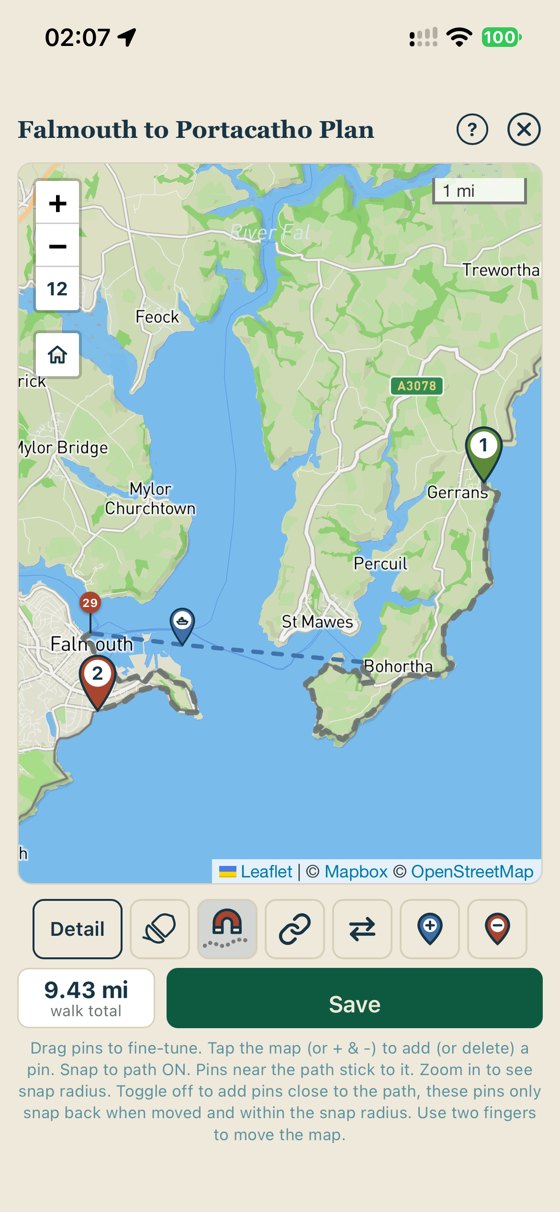
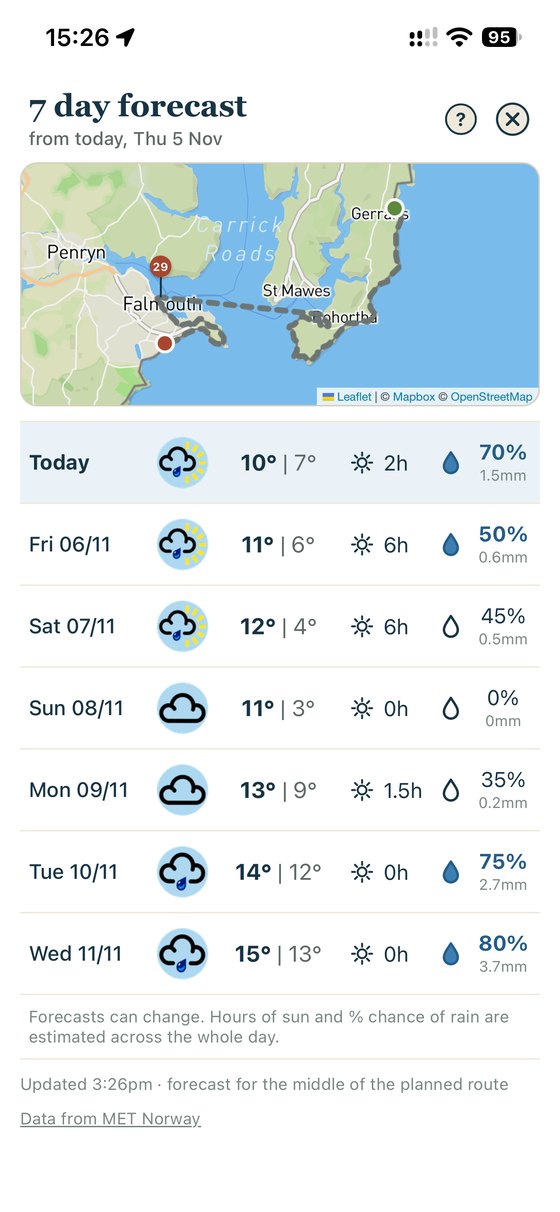

Add 30 minutes for the pub.Tap +30 on any plan and the finish time moves with you. Your own pace, your own stops.
Stats
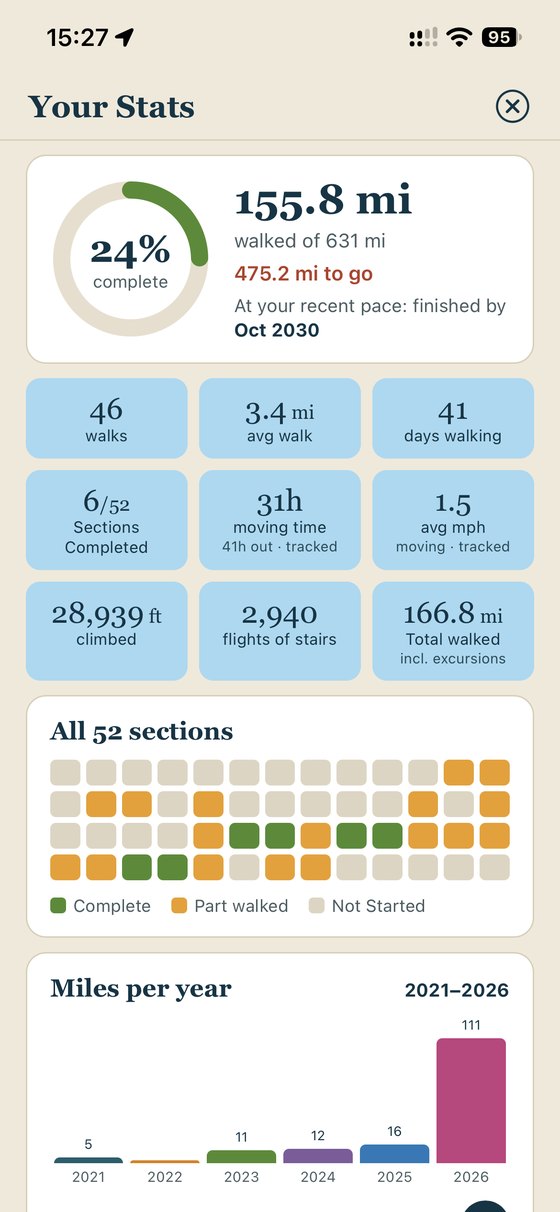
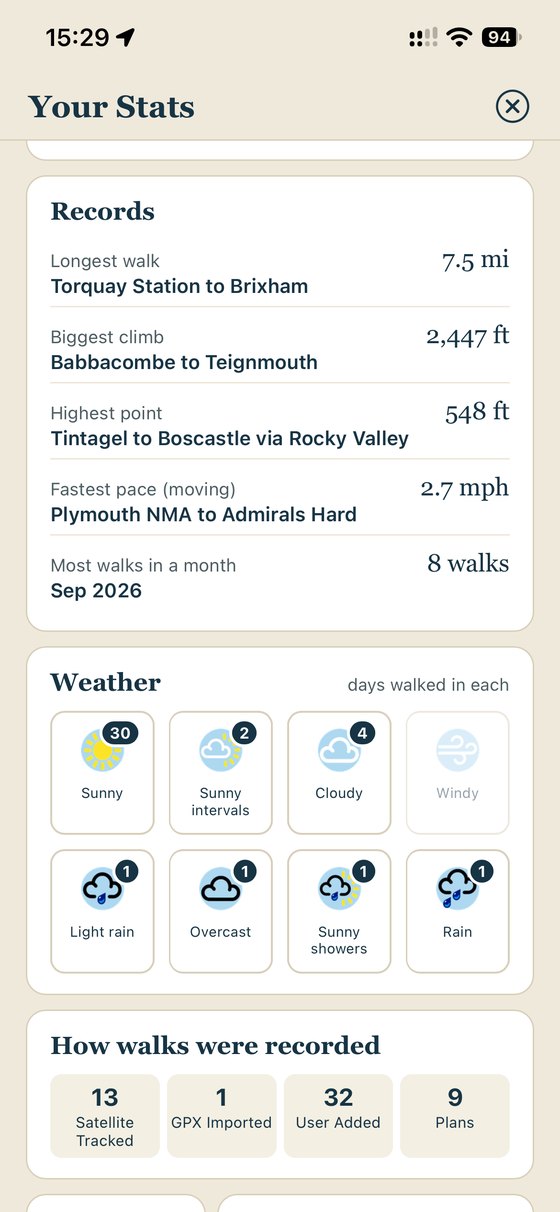
Your coast path, in numbers.
Every walk feeds your stats, so you can see how far you've come, how far there is to go, and when you'll reach the end at your recent pace. Your records, your years and even the weather you walked in, all in one place.
Journal
Create your walking journal: remember the great bits.
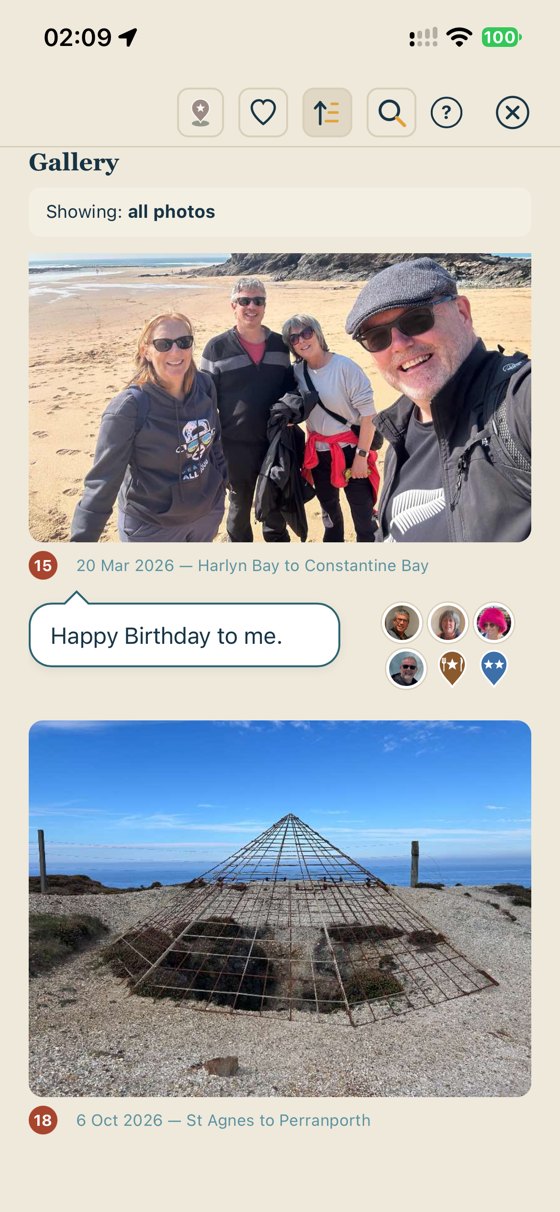
Every walk includes a photo, a comment, the people you walked with and highlights worth going back for.
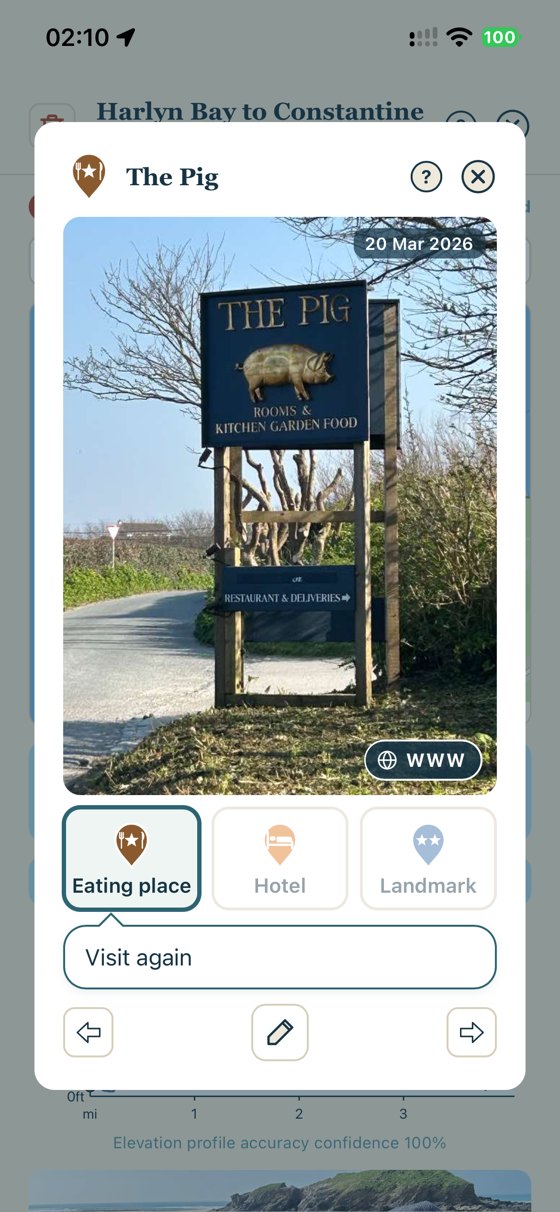
- Highlights on the mapPin your favourite cafes, pubs, accommodation and those picturesque landmarks along the path. SWCP Track finds their website for you too, so bookings and reservations are one tap away.
- Walking friendsAdd the friends and family you walk with, to remind you who had fun that day.
- Create a journalA photo and comment for every walk, gathered in a gallery to remind you of your adventure.
Share
Post it on your socials before your boots are off.
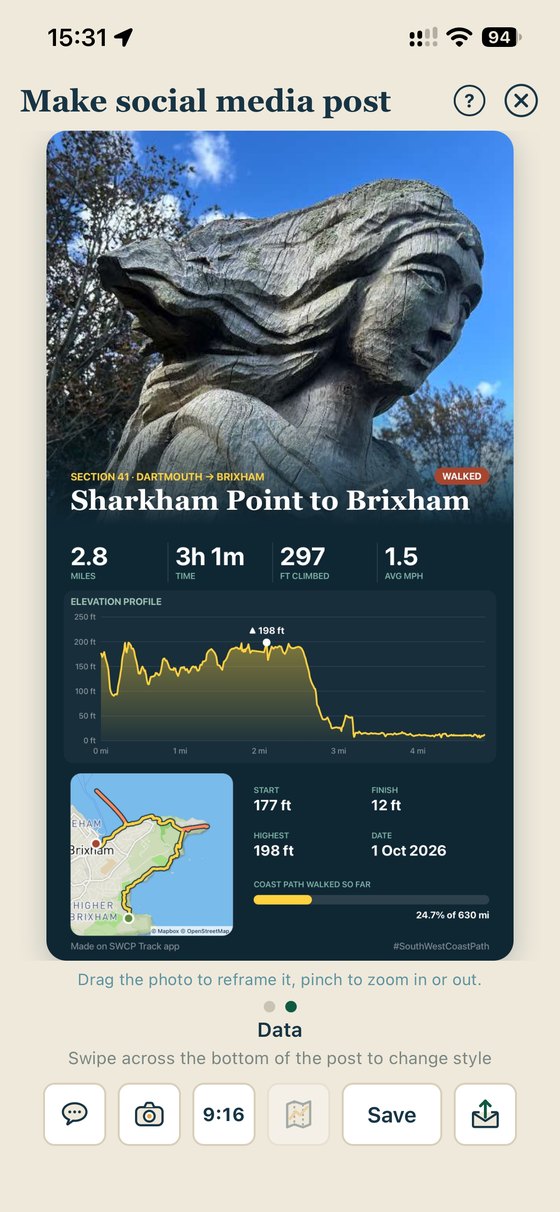
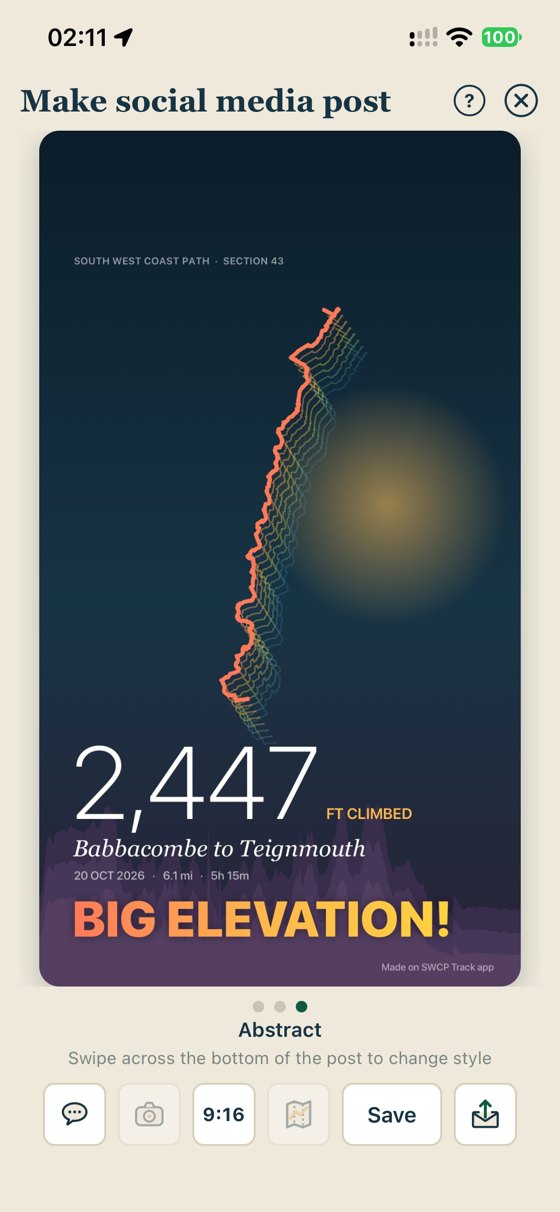
Finish a walk and SWCP Track turns it into a ready-made social media post: your best photos, the route on the map and the numbers that matter, laid out and ready to go.
- Several styles to choose fromPick the look, choose the photos, and the miles, climbing and section come along automatically.
- Straight to your feedShare to Instagram, Facebook, WhatsApp or anywhere else your phone shares to.
- Share the walk itselfSend a walk to a friend who was with you and they can add it to their own SWCP Track in a tap.
Giving back
We love the path too.
The coast path doesn't look after itself. Storms, landslips and millions of footsteps mean it needs constant care, and the South West Coast Path Association is the charity that makes sure it gets it.
So SWCP Track gives back. A donation from the app goes to the Association, and every 1,000 people buying SWCP Track covers the cost of looking after one mile of the path for a whole year. The more of us walking, the more of the path is loved.
Every section in the app also links straight to the Association's website, for route notes, diversions and everything else you need to know before you go. Visit the South West Coast Path Association

Mending steps & bridges, clearing gorse and brambles, fixing signposts and rerouting the path when the cliffs collapse.
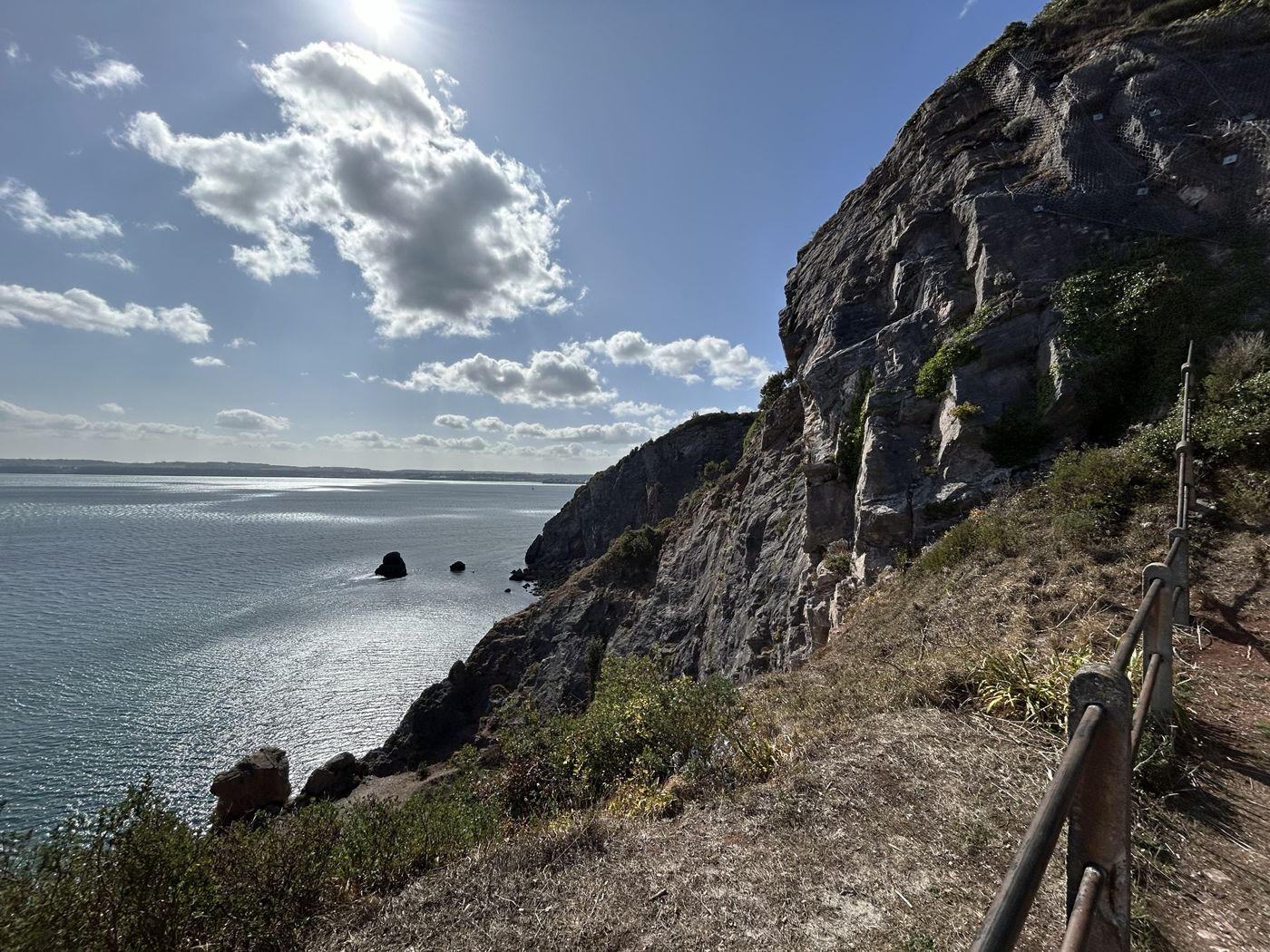
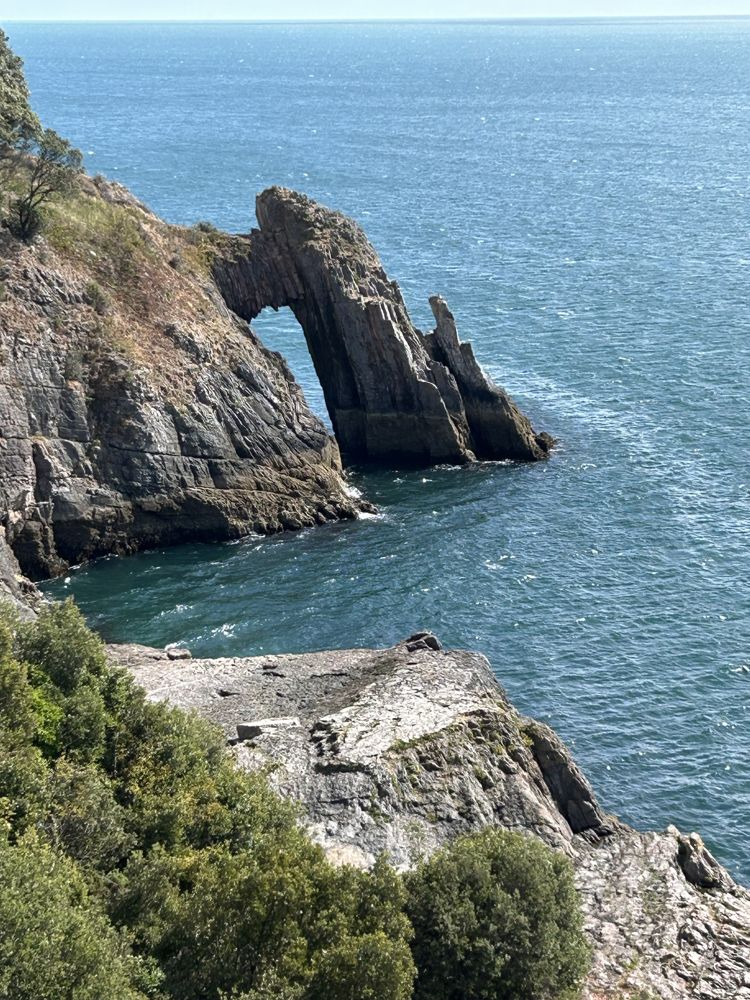
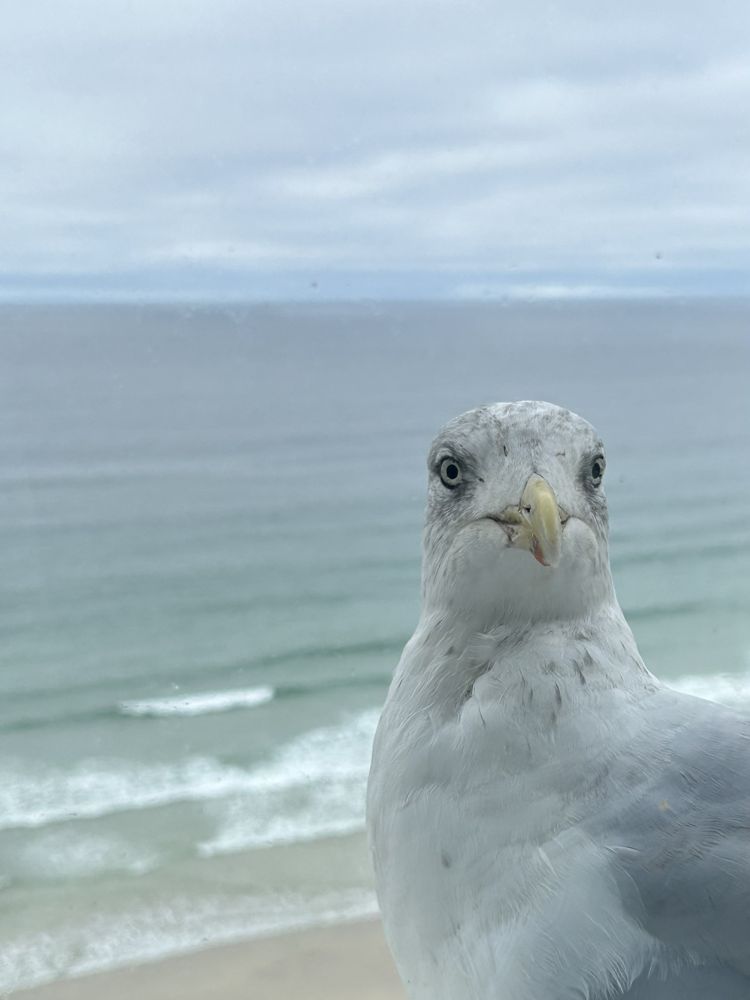
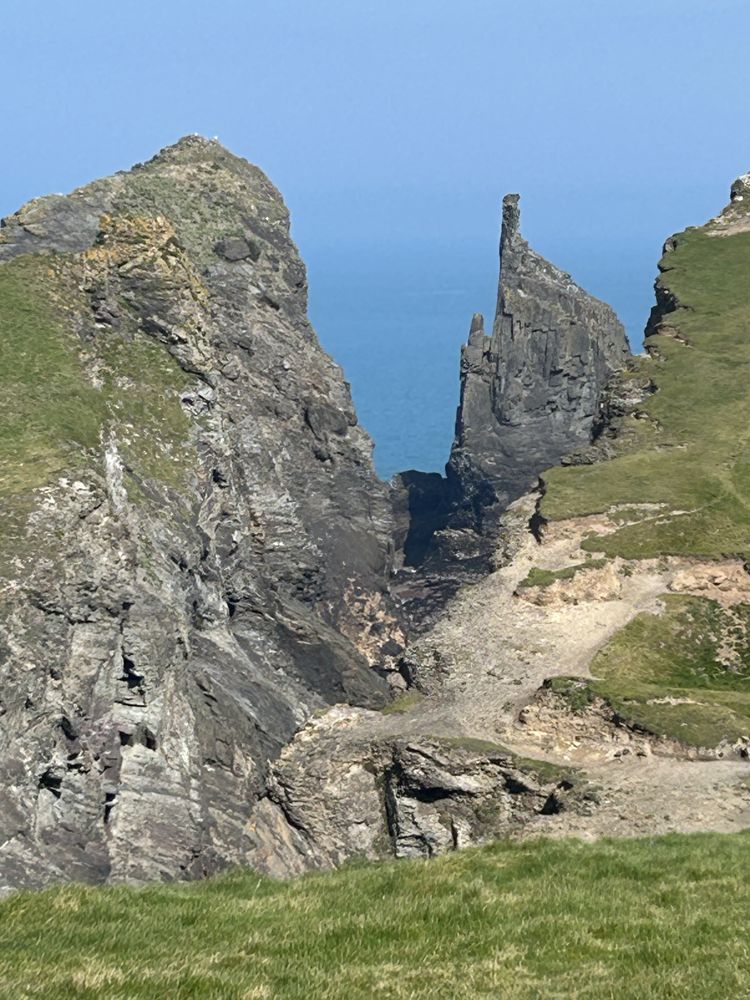
Postcards from the path.
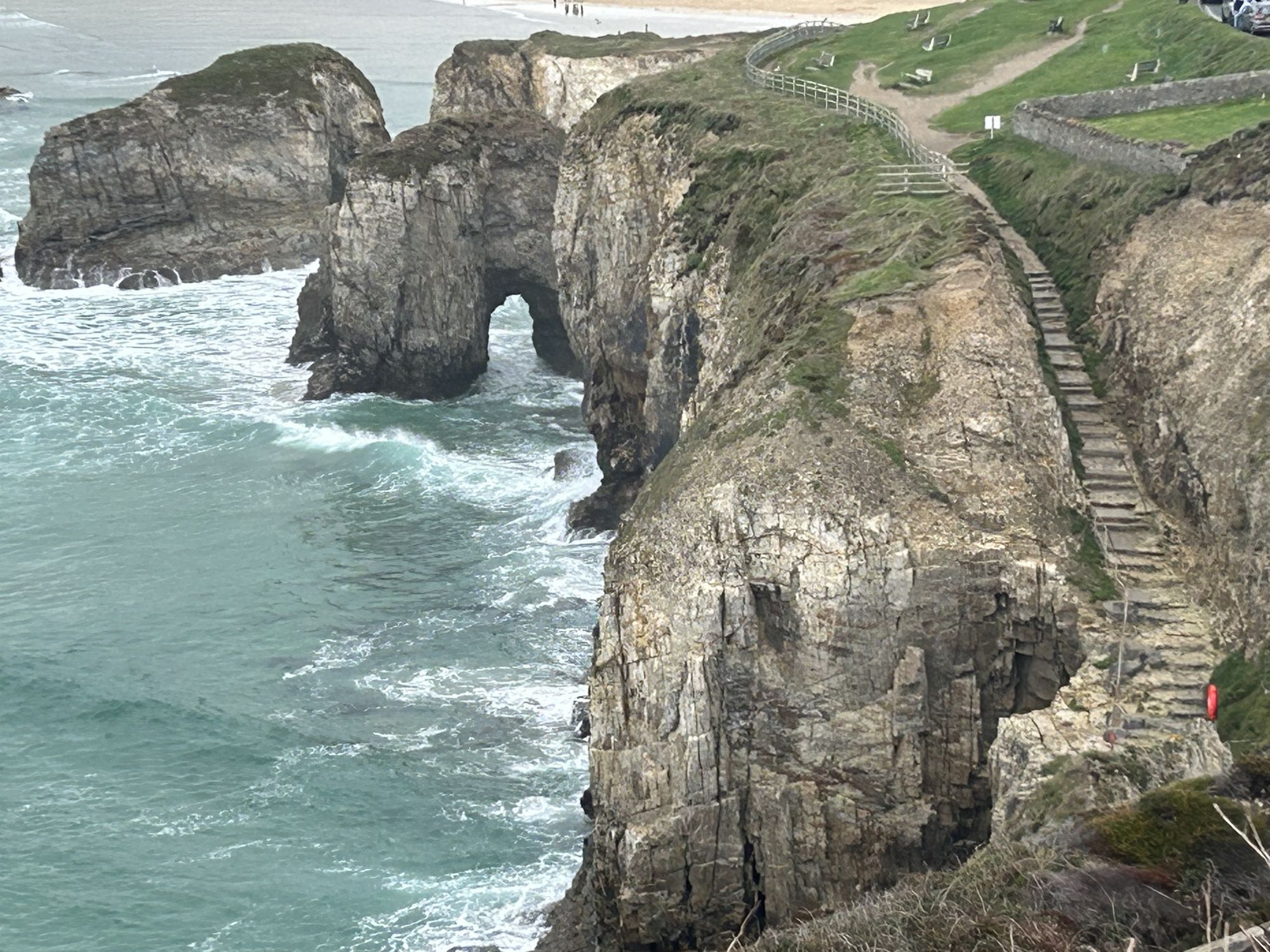
Arches, stacks, coves and the odd nosy gull. Every photo you take stays with the walk it came from.

No account or sign up. Your walks and data stay on your phone.
Save a backup whenever you want, to make sure it's safe.
Historical walks from anywhere
Import GPX walks from Strava, Komoot or Outdooractive, and add walks you did years ago by hand to keep your totals accurate.
Help when you want it
Want to know how something works? Tap the ? on any screen for a short tip right where you need it. No tutorials to sit through and nothing popping up in your way.
In your language
English not your first language? The whole app and its help tips are currently in three languages (with more to come).
Reviews
Using SWCP Track? Please let other walkers know.
A positive rating or a few kind words on the App Store helps other coast path walkers find and choose the SWCP Track app. A review takes less than a minute. Feedback is appreciated: if there's anything you don't like, tell us on the email below and we'll get right on to it. We also love hearing about features you'd like to see.
Got an idea or found a problem? Email us at support@invertedheadsoftware.co.uk.
Reviews from the App Store will show here once the app is live, so you can see what other walkers think.
Real App Store reviews onlyPricing
Draft pricing, to be confirmed
Free to get going: just download and start tracking.
Free
£0
Every feature, for your first 30 walks.
SWCP Track App
£14.99 one-off fee after the first 30 walks
If you love the app then unlock unlimited walks (forever), with the first year of map updates and new features included.
(optional) From year two
£2.99 a year
For ongoing map updates and new features. Bug fixes stay free for everyone, whatever you decide.
Walking regularly with someone? Get them the SWCP Track app for £7.99. You get an App Store offer code on purchase, to share with your friend.
Before you set off - a reminder…
SWCP Track App is a companion, not a lifeline.
- Your safety is your responsibility. Check tides, weather and ferries, keep away from cliff edges and tell someone your route.
- Not an emergency device. The app can't call for help or share your location. In an emergency call 999 or 112 and, on the coast, ask for the Coastguard.
- Not your only navigation aid. Follow the signs and diversions on the ground and carry an up-to-date map.
Frequently Asked Questions
Does it work without a signal?
Yes. Tracking uses GPS, which works without a phone signal, and offline maps of the coast path, along with the path and its heights, are built into the app. Some functions, such as the weather and acorn routes to the path, need an internet connection, so won't work until you're back in range.
Do I have to walk it in order?
No. Walk any section on any day, in either direction. Big walks, small walks, miles apart. The app works out where each walk falls on the path and counts every mile walked (without double counting).
Can I track walks not on the SWCP?
Yes, you can. They appear in section zero and look like any other walk, but obviously don't get included in your SWCP miles and Stats.
Can I add walks I did before I had the app?
Yes. Add them by hand by placing a start and finish on the map, or import a GPX file from another app. They count towards your total like any other walk.
Where is my data kept?
Only on your phone. There's no account and no server copy, so back up regularly with Export Data, especially before changing phones.
Is there an Android version?
iPhone comes first. An Android version is planned.
What is the current release of SWCP Track?
The current release is SWCP Track 3.2.1.
How do I contact the developers?
Email us at support@invertedheadsoftware.co.uk.

630 miles. One step at a time.
Start your coast path adventure.
Whether it's one weekend a year or the whole lot in one go, SWCP Track keeps count so you can keep walking.
Coming to the App Store